
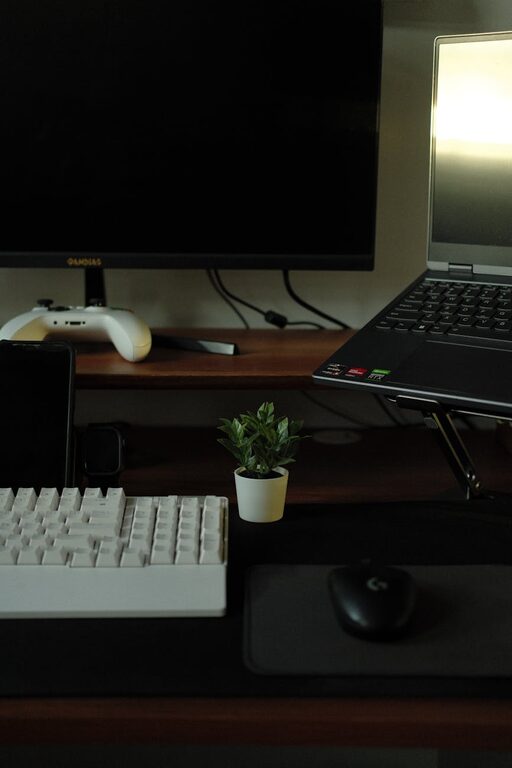
In today’s fast-paced world, our digital lives can easily become cluttered with files, emails, apps, and notifications. Just like physical clutter, digital clutter can cause stress, reduce focus, and hamper productivity. If you feel overwhelmed by the amount of information and digital tools you use daily, it’s time to take control. This post will guide you through practical steps to declutter your digital life and create a more organized, efficient online environment.
Why Declutter Your Digital Space?
Before diving into the how, it helps to understand the benefits of digital decluttering:
– Reduced Stress: A clean digital space can make you feel calmer and less overwhelmed.
– Improved Productivity: Fewer distractions and streamlined tools help you focus on important tasks.
– Better Device Performance: Regular cleanups free up storage and might speed up your devices.
– Enhanced Security: Removing unused apps and old files reduces vulnerability risks.
Now, let’s explore how you can start decluttering today.
Step 1: Organize Your Files and Folders
One of the biggest contributors to digital clutter is the mess of files living on your computer or cloud storage. Here’s how to tackle it:
Sort and Delete
– Start by reviewing your downloads folder, desktop, and documents.
– Delete files you no longer need—old photos, duplicates, or unfinished projects.
– Be decisive but cautious; if unsure, create an archive folder for less-used files.
Create a Logical Folder Structure
– Group related files into folders by category, project, or date.
– Use clear and consistent naming conventions.
– Avoid saving files randomly; this makes future searches easier.
Utilize Cloud Storage Wisely
– Store important files in cloud services like Google Drive or Dropbox for easy access.
– Regularly review and clear out obsolete files.
Step 2: Manage Your Email Effectively
Emails can quickly pile up and become overwhelming. Here’s a strategy to tame your inbox:
Unsubscribe Ruthlessly
– Use tools or apps to identify and unsubscribe from newsletters or promotional emails you no longer read.
Use Folders and Labels
– Organize emails into folders or use labels to categorize by priority or topic.
– Set up filters to automatically sort incoming messages.
Aim for Inbox Zero
– Try to process emails daily or weekly.
– Reply, archive, or delete promptly to avoid backlog.
Step 3: Declutter Your Applications
Apps take up space and sometimes create distractions. Consider the following:
Audit Your Apps
– Review apps on your phone, tablet, and computer.
– Delete apps you haven’t used in the last three months.
Limit Notifications
– Disable non-essential notifications to reduce distractions.
– Customize notification settings for each app.
Streamline Tools
– Choose apps that serve multiple purposes instead of many single-function apps.
– Keep essential productivity tools updated for security and performance.
Step 4: Simplify Your Social Media Use
Social media can contribute significantly to digital clutter and mental fatigue.
Curate Your Feed
– Unfollow or mute accounts that don’t add value or bring joy.
– Organize friends or followers into lists to focus on content that matters.
Schedule Usage
– Allocate specific times for social media instead of frequent checks throughout the day.
– Use apps that limit your screen time or block distracting platforms during work hours.
Step 5: Backup and Secure Your Digital Data
Decluttering isn’t just about deleting; it’s also about protecting important data.
Regular Backups
– Use external drives or cloud backups to save critical documents and memorable photos.
– Set reminders for weekly or monthly backups.
Maintain Security
– Keep your software updated.
– Use strong, unique passwords and consider password managers.
– Delete old accounts or profiles you no longer use.
Step 6: Maintain Your Digital Cleanliness
Decluttering is an ongoing process.
– Schedule routine digital cleanups—monthly or quarterly.
– Continuously assess your digital habits and adjust accordingly.
– Stay mindful about what you download and save.
Final Thoughts
Decluttering your digital life may seem daunting at first, but the rewards are worth it. By organizing files, managing emails, simplifying apps, and practicing mindful online habits, you create space for focus and efficiency. Start small, maintain consistency, and enjoy a more peaceful digital environment. Your future self will thank you!