
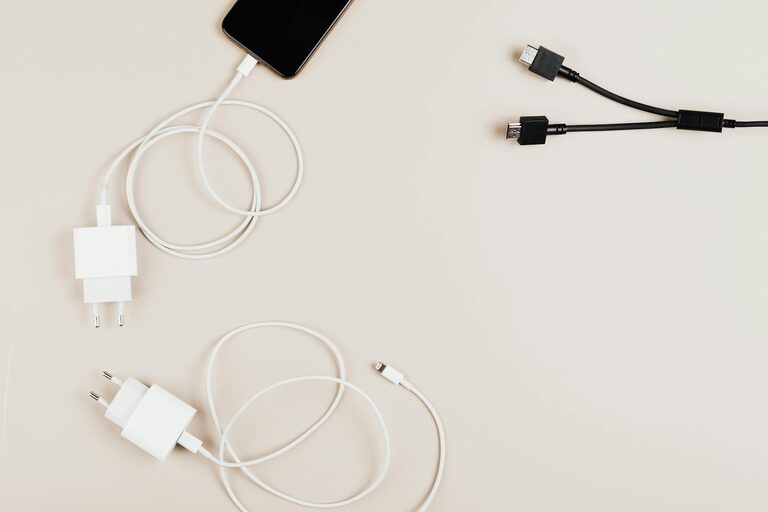
Setting up a dedicated charging station for your devices is a smart way to keep your home or workspace tidy and ensure all your gadgets stay powered up. Whether you have smartphones, tablets, laptops, or smartwatches, having a central spot for charging reduces clutter and makes it easy to find and use your devices. In this guide, we’ll walk you through the process of creating an organized and efficient charging station suited to your needs.
Why Set Up a Charging Station?
With multiple devices and their respective chargers scattered around, cords can quickly become tangled, and you might find yourself hunting for the right cable or outlet. A charging station consolidates these essentials, helping you:
– Declutter your space
– Keep devices organized and accessible
– Protect devices from damage caused by cords or careless placement
– Streamline your charging routines
Step 1: Assess Your Device Charging Needs
Before buying or building a charging station, consider the number and types of devices you need to charge regularly. Ask yourself:
– How many devices require charging simultaneously?
– What kinds of devices do you have (phones, tablets, laptops, wearables)?
– What types of chargers and cables do these devices use (USB-A, USB-C, Lightning, wireless)?
– Do you need fast charging capabilities?
Knowing this helps determine the size and features your charging station should have.
Step 2: Choose the Right Location
Find a convenient and accessible spot in your home or office where you spend a lot of time. Popular options include:
– A side table in the living room
– An area on your desk or workspace
– A kitchen counter
– A dedicated shelf or nook
Make sure the location has access to power outlets or can easily be fitted with a power strip.
Step 3: Select Your Charging Station Style
Charging stations come in various forms depending on your style preferences and device requirements:
Commercial Charging Stations
Available online and in electronics stores, these can accommodate multiple devices at once. Look for features like:
– Multiple USB and AC outlets
– Built-in cable management
– Adjustable slots to hold devices upright
– Wireless charging pads for compatible devices
DIY Charging Stations
If you enjoy crafts or want a personalized solution, you can make your own charging station using:
– Wooden boxes or trays with holes drilled for cables
– Cable clips or ties for organization
– A power strip mounted inside or underneath
– Decorative elements to match your decor
Step 4: Organize Cables and Chargers
Good cable management keeps your charging station neat and functional.
Cable Management Tips:
– Use cable clips or holders to keep cords from tangling.
– Label cables for quick identification.
– Opt for charging hubs with built-in cable storage.
– Use Velcro straps or twist ties to bundle excess cable length.
– Route cables through holes or channels in your station to hide them.
Step 5: Set Up Power Supply
Power your charging station by plugging the power strip or charging hub into a nearby wall outlet. If you have multiple devices:
– Choose a power strip with surge protection to safeguard your electronics.
– Make sure the power strip has enough outlets for all chargers.
– If outlets are limited, consider using an extension cord with surge protection.
Step 6: Arrange Your Devices
Position your devices in the charging station’s slots or designated areas. Tips to consider:
– Place heavier devices lower or closer to the power source.
– Keep devices upright to maximize airflow and reduce heat.
– Ensure cables are not bent sharply, which can damage them over time.
– For wireless chargers, align devices as per manufacturer instructions.
Step 7: Maintain and Upgrade
To keep your charging station in top shape:
– Regularly check cables for wear and replace damaged ones.
– Dust and clean the area to prevent buildup.
– Upgrade chargers or cables as technology evolves.
– Add new slots or compartments if your device collection grows.
Bonus: Tips for Safety
– Avoid overloading power strips.
– Use certified chargers and cables designed for your devices.
– Keep the charging station away from liquids or heat sources.
– Unplug chargers during storms or when not in use for extended periods.
Conclusion
Setting up a charging station can streamline your daily routine, reduce clutter, and protect your valuable devices. By assessing your needs, choosing a suitable location, organizing cables, and arranging your gadgets thoughtfully, you can build a charging hub that works perfectly for you. Whether you opt for a commercial solution or a DIY project, the benefits of a well-designed charging station are worth the effort.
With these steps in mind, you’re ready to create a charging station that keeps all your devices powered and your space looking neat!